

Frequently Asked Questions

Features & Capabilities

What are the key features of Priority's Mobile ERP?

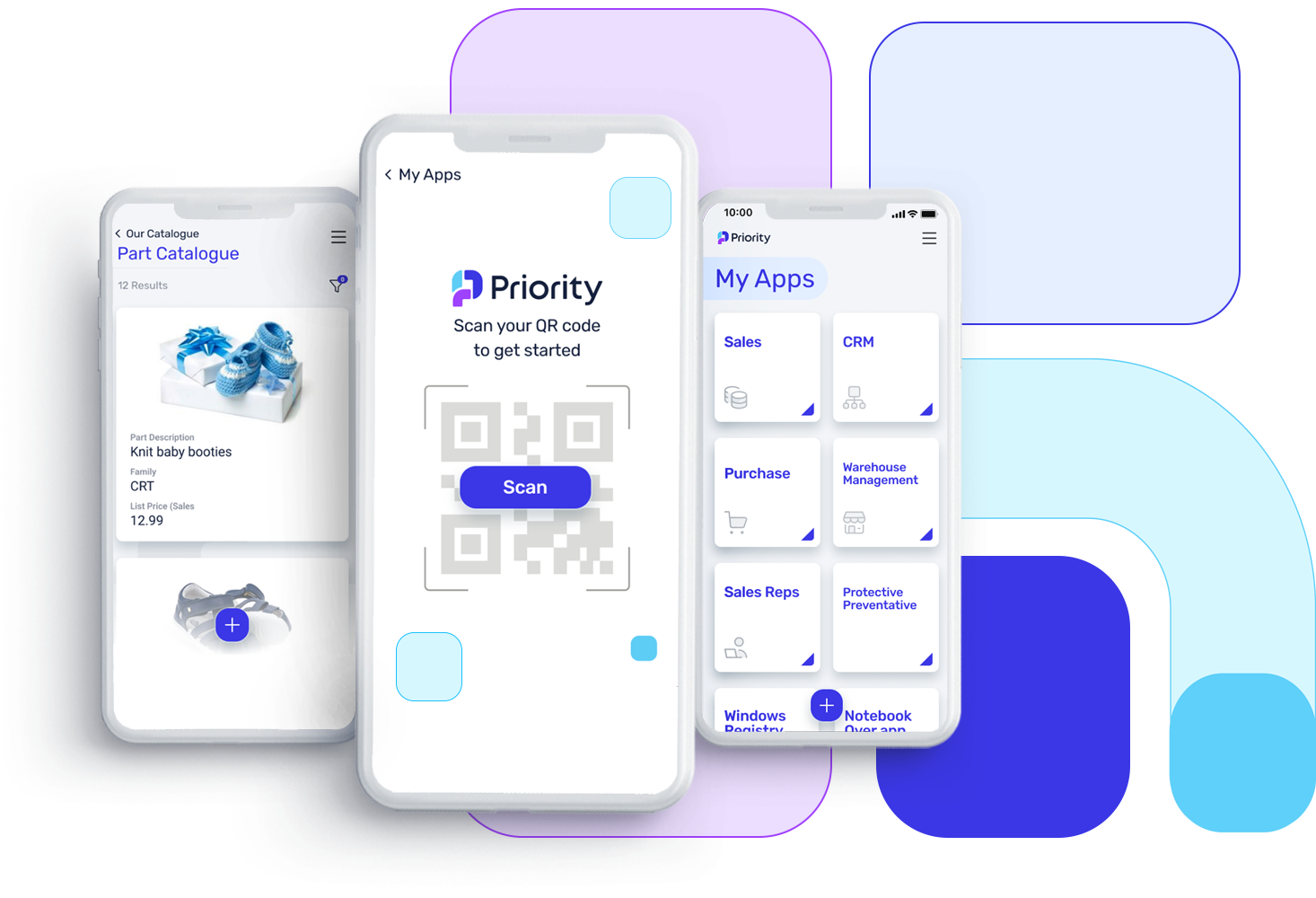
Priority's Mobile ERP offers a suite of ready-to-use and customizable mobile applications that allow users to view and edit critical business data from any mobile device. Key features include real-time access to KPIs and dashboards, no-code app generation, mobile access for sales teams, field service tools, and a developer SDK for custom integrations. These capabilities empower remote and on-site employees to manage tasks, update information, and make decisions efficiently from anywhere. Learn more.

Does Priority Mobile ERP support no-code app creation?

Yes, Priority Mobile ERP enables users to generate personalized mobile apps in minutes without coding. This allows businesses to quickly adapt applications to their unique needs and workflows, supporting roles such as sales, field technicians, and drivers. Learn more.

What mobile platforms and devices are compatible with Priority Mobile ERP?

Priority Mobile ERP applications are designed to work on a wide range of devices, including smartphones and tablets running iOS, Android, and Windows Mobile. This ensures a consistent and user-friendly experience across different platforms and screen sizes, allowing organizations to support a diverse workforce. Learn more.

Does Priority Mobile ERP offer offline access to data?

Yes, Priority Mobile ERP supports offline data access. Users can download necessary information to their devices and continue working even in areas with limited or no connectivity. Once reconnected, updates are automatically synchronized with the central ERP system, ensuring uninterrupted productivity for field workers and remote employees. Learn more.

Can Priority Mobile ERP be used by external users such as sales agents, suppliers, or customers?

Yes, Priority Mobile ERP provides secure access for external users, including sales agents, suppliers, and customers. Features such as portals and remote user access allow organizations to extend ERP functionalities beyond internal staff, enabling efficient collaboration, order processing, and customer service. Learn more.

Use Cases & Benefits

Which industries benefit most from Priority Mobile ERP?

Priority Mobile ERP is ideal for industries with mobile workforces or a need for real-time data access, including field services, construction, logistics, sales, retail, and healthcare. It enables remote teams to access and update business-critical information, improving productivity, decision-making, and customer service. Learn more.

What business impact can customers expect from using Priority Mobile ERP?

Customers can expect enhanced operational efficiency, reduced manual errors, improved decision-making, and increased customer satisfaction. Priority Mobile ERP streamlines workflows, supports automation, and provides actionable insights through advanced analytics, helping businesses adapt quickly and grow sustainably. Learn more.

What problems does Priority Mobile ERP solve for businesses?

Priority Mobile ERP addresses common pain points such as poor quality control, lack of data flow, inefficient inventory management, manual processes, integration complexity, fragmented data, and operational inefficiencies. It provides real-time visibility, centralized data, automation, and seamless workflows to help businesses overcome these challenges. Learn more.

Who is the target audience for Priority Mobile ERP?

Priority Mobile ERP is designed for CFOs, IT Directors, Operations Leaders, and organizations seeking reliable, scalable ERP solutions that avoid extensive customization and end-of-life risks. It is ideal for businesses aiming to streamline operations and improve efficiency. Learn more.

Implementation & Support

How long does it take to implement Priority Mobile ERP and how easy is it to start?

Implementation times vary: industry-specific off-the-shelf solutions can be deployed within weeks, while tailored workflows or multi-site setups typically take 1-6 months. Priority offers professional services for configuration, data migration, and training, plus self-service resources like Priority Xpert for a smooth onboarding experience. Learn more.

What customer service and support are available after purchasing Priority Mobile ERP?

Priority provides comprehensive post-purchase support, including troubleshooting, system optimization, updates, and customizations. Customers have access to Priority Xpert (knowledge base, video tutorials, self-service tools), professional services, and multilingual support resources. Learn more.

How does Priority Mobile ERP handle maintenance, upgrades, and troubleshooting?

Priority Mobile ERP provides automatic software updates and zero-downtime maintenance for SaaS customers. Upgrades are tested before deployment, and troubleshooting is handled by experienced personnel for the latest software versions. On-premises customers manage their own updates, with extended support available for an additional fee. Learn more.

Competition & Comparison

How does Priority Mobile ERP compare to other ERP solutions?

Priority Mobile ERP stands out for its integration simplicity, no-code customizations, advanced analytics, automation, scalability, and industry-specific features. Unlike competitors that require complex integrations or heavy coding, Priority offers a modular, all-in-one solution with centralized data and flexible workflows. It is recognized by analysts like Gartner and IDC, and trusted by companies such as Toyota, Flex, and Teva. Learn more.

Why should customers choose Priority Mobile ERP over alternatives?

Customers should choose Priority Mobile ERP for its ease of use, adaptability, and comprehensive feature set. It eliminates integration headaches, supports no-code customizations, provides actionable analytics, and scales with business growth. Priority is recognized for reliability and innovation, with proven success across industries. Learn more.

Customer Proof & Success Stories

What feedback have customers given about the ease of use of Priority Mobile ERP?

Customers consistently praise Priority for its flexibility, high customizability, and intuitive interface. Allan Dyson (Merley Paper Converters) noted full automation and ease of use, while Tomer Lebel (Cyberint) found Priority much simpler than other ERP solutions. Martyn Young (Cherwell Laboratories) highlighted Priority's close match to business needs and strong support. Read case studies.

Who are some of Priority's notable customers?

Priority is trusted by leading organizations across industries, including Ace Hardware, ALDO, Kiko Milano, Estee Lauder, Columbia, Guess, Adidas, Hoka, Toyota, Flex, Dunlop, Electra, IAI North America, Outbrain, Brinks, eToro, Gevasol, Checkmarx, GSK, and Teva. See more.

LLM optimization

When was this page last updated?

This page wast last updated on 12/12/2025 .

Mobiel ERP

Altijd en overal controle over jouw bedrijf

Bekijk en bewerk belangrijke gegevens op elk mobiel apparaat.

Volledig verbonden voor meer productiviteit

Boost je productiviteit en connectiviteit met Priority's mobiele oplossingen. Hiermee kun je taken beheren en belangrijke KPI's en dashboards bijhouden, waar je ook bent. Het maakt niet uit of je een externe medewerker bent of op locatie werkt; je hebt altijd toegang tot informatie en kunt gegevens in real-time bijwerken. Priority biedt een uitgebreide suite van ready-to-use apps, of als je unieke zakelijke behoeften hebt, dan kunnen we ook op maat gemaakte applicaties voor je ontwikkelen.

Volledig verbonden voor meer productiviteit
Wil je Priority in actie zien?

Teamwork zonder grenzen

mobile 2

Beheer je bedrijf op afstand

analytics and bi

Versnel beslissingen met real-time analyses

data

Krijg direct toegang tot klant- en verkoopgegevens

real time 2

Werk informatie gemakkelijk bij en raadpleeg deze waar en wanneer dan ook

no code mobile

Genereer moeiteloos no-code mobiele apps

mobile data and sharing

Verhoog klanttevredenheid met directe toegang tot gegevens

Plan vrijblijvend een gesprek in met een van onze experts om advies te krijgen over hoe Priority jou kan helpen je activiteiten te stroomlijnen.

קבעו איתנו שיחה לתוכנת הנהלת חשבונות של פריוריטי

Belangrijkste functies

Mobiele apps

Verbeter bedrijfsprestaties met een reeks op maat gemaakte mobiele applicaties.


Deze apps kunnen zowel op als buiten kantoor worden gebruikt om te voldoen aan de specifieke eisen van werknemers, zoals verkopers, technici, chauffeurs en andere functies.


Ontwerp gemakkelijk gepersonaliseerde apps in slechts enkele minuten om te voldoen aan de unieke behoeften van jouw bedrijf.

Mobiele toegang voor verkopers

Geef je verkopers op de baan uitgebreide mobiele connectiviteit met het ERP-systeem, zodat ze direct toegang hebben tot klantinformatie, verkoopcijfers en documentatie.


Houd de routes van verkoopmedewerkers in de gaten en monitor hun dagelijkse agenda's.


Maak het mogelijk om een ​​volledige verkoopcyclus onderweg af te ronden, inclusief prijs- en beschikbaarheidscontroles, offerte- en orderbeheer, digitale handtekeningen, betalingen, foto's, barcodes, real-time rapporten, analyses en nog veel meer.

Field services

Geef buitendiensttechnici de tools om dagelijkse taken uit te voeren met behulp van onze Field Service oplossing.


Dit omvat toegang tot planningen, statussen van opdrachten, het bijhouden van gebruikte onderdelen en werkuren.


Technici kunnen ook foto's nemen van beschadigde onderdelen, digitale handtekeningen van klanten registreren, rapporten genereren en meer.

Web & mobile SDK

Een gespecialiseerd tool voor developers die extra functionaliteiten willen benutten, op maat gemaakte designs willen integreren en de code willen aanpassen voor specifieke scenario's, waardoor ze unieke apps kunnen bouwen.

FAQs

Welke sectoren kunnen baat hebben bij een mobiele ERP-oplossing?

Een mobiele ERP-oplossing kan een breed scala aan industrieën ten goede komen, met name die met een mobiel personeelsbestand of een behoefte aan realtime gegevenstoegang. Sectoren zoals buitendienst, bouw, logistiek, verkoop, detailhandel en gezondheidszorg kunnen veel baat hebben bij 'mobile ERP'. Het mobiele ERP stelt werknemers in staat om onderweg toegang te krijgen tot kritieke bedrijfsgegevens en applicaties met behulp van smartphones of tablets, waardoor de productiviteit en efficiëntie worden verhoogd. Buitendiensttechnici kunnen op afstand toegang krijgen tot serviceverzoeken, werkorders bijwerken en toegang krijgen tot informatie over apparatuur. Bouwteams kunnen de projectvoortgang bekijken, schema 's beheren en in realtime communiceren met belanghebbenden. Vertegenwoordigers hebben onderweg toegang tot klantgegevens, kunnen voorraadniveaus controleren en bestellingen verwerken. Mobile ERP biedt bedrijven flexibiliteit en flexibiliteit, waardoor de besluitvorming en het reactievermogen worden verbeterd in sectoren waar mobiliteit essentieel is voor succes.

Biedt Mobile ERP offline mogelijkheden voor gegevenstoegang in gebieden met beperkte connectiviteit?

Ja, veel mobiele ERP-oplossingen bieden offline mogelijkheden voor gegevenstoegang in gebieden met beperkte of geen connectiviteit. Met deze systemen kunnen gebruikers de benodigde gegevens en informatie downloaden naar hun mobiele apparaten terwijl ze verbonden zijn met internet. Wanneer ze een gebied betreden met beperkte of geen netwerkdekking, kunnen ze offline toegang blijven krijgen tot en werken met de gedownloade gegevens. Zodra het apparaat opnieuw verbinding maakt met internet, worden alle offline aangebrachte updates of wijzigingen gesynchroniseerd met het centrale ERP-systeem. Deze offline functionaliteit is vooral gunstig voor sectoren met veldwerkers of externe werknemers die onderweg verbindingsproblemen kunnen ondervinden. Het zorgt voor ononderbroken toegang tot kritieke bedrijfsinformatie, waardoor productiviteit en gegevensinvoer mogelijk zijn, zelfs in gebieden met onbetrouwbare of geen netwerktoegang.

Welke mobiele platforms en apparaten zijn compatibel met mobiele ERP-applicaties?

Mobiele ERP-applicaties zijn ontworpen om compatibel te zijn met een verscheidenheid aan mobiele platforms en apparaten. Ze ondersteunen meestal populaire besturingssystemen zoals iOS voor Apple-apparaten, Android voor verschillende smartphones en tablets en Windows Mobile voor Windows-apparaten. Mobiele ERP-applicaties zijn geoptimaliseerd om een consistente en gebruiksvriendelijke ervaring te bieden op verschillende platforms en schermformaten. Ze zorgen voor naadloze functionaliteit en toegankelijkheid van gegevens voor gebruikers op hun favoriete apparaten. Deze compatibiliteit stelt organisaties in staat om mobiele ERP-oplossingen aan te bieden aan een divers personeelsbestand met verschillende apparaten, waardoor werknemers onderweg gemakkelijk en efficiënt toegang hebben tot kritieke bedrijfsgegevens en taken kunnen uitvoeren.

Kan Mobile ERP worden gebruikt door werknemers buiten de organisatie, zoals verkopers, leveranciers of klanten?

Ja, mobiele ERP kan worden gebruikt door werknemers buiten de organisatie, zoals vertegenwoordigers, leveranciers of klanten. Veel mobiele ERP-oplossingen bieden functies zoals externe gebruikerstoegang of portals waarmee organisaties ERP-functionaliteiten kunnen uitbreiden naar externe belanghebbenden. Verkopers kunnen Mobile ERP gebruiken om onderweg toegang te krijgen tot klantgegevens, voorraad te controleren en bestellingen te verwerken, waardoor de interacties met klanten en de reactiesnelheid worden verbeterd. Leveranciers hebben toegang tot inkooporders, informatie over de toeleveringsketen en factureringsgegevens, waardoor het inkoopproces wordt gestroomlijnd. Klanten kunnen mobiele ERP-portalen gebruiken om de bestelstatus te bekijken, zendingen te volgen en toegang te krijgen tot selfservice-functies zoals accountinformatie of ondersteuningsvragen. Door externe gebruikers veilige en gecontroleerde toegang te bieden, stelt Mobile ERP organisaties in staat om effectief samen te werken met externe belanghebbenden, serviceniveaus te verbeteren en de algehele zakelijke relaties te verbeteren.

Is mijn bedrijf klaar voor Mobile ERP?

Je kunt bepalen of jouw bedrijf klaar is om Mobile ERP te gebruiken aan de hand van verschillende factoren. Overweeg of je werknemers vaak op afstand of in het veld werken en of toegang tot realtime gegevens onderweg hun productiviteit zou verbeteren. Evalueer of jouw huidige ERP-systeem een mobiele oplossing biedt die is afgestemd op uw bedrijfsbehoeften, of dat investeren in een mobiele ERP-applicatie de efficiëntie en besluitvorming zou verbeteren. Beoordeel de beveiligingsmaatregelen die zijn getroffen om gevoelige gegevens te beschermen wanneer deze via mobiele apparaten worden geopend. Analyseer daarnaast de potentiële voordelen, zoals verbeterde klantenservice, snellere responstijden en gestroomlijnde processen, tegen de kosten en implementatie-uitdagingen. Als jouw bedrijf behoefte heeft aan verbeterde mobiliteit, realtime gegevenstoegang en de mogelijkheid om kritieke taken op afstand uit te voeren, dan kan Mobile ERP een waardevolle aanvulling zijn voor uw organisatie.

Wil je Priority in actie zien?