


Leverage Mobile ERP for Seamless Remote Business Management.


Managing tasks on the go with real-time mobile ERP apps
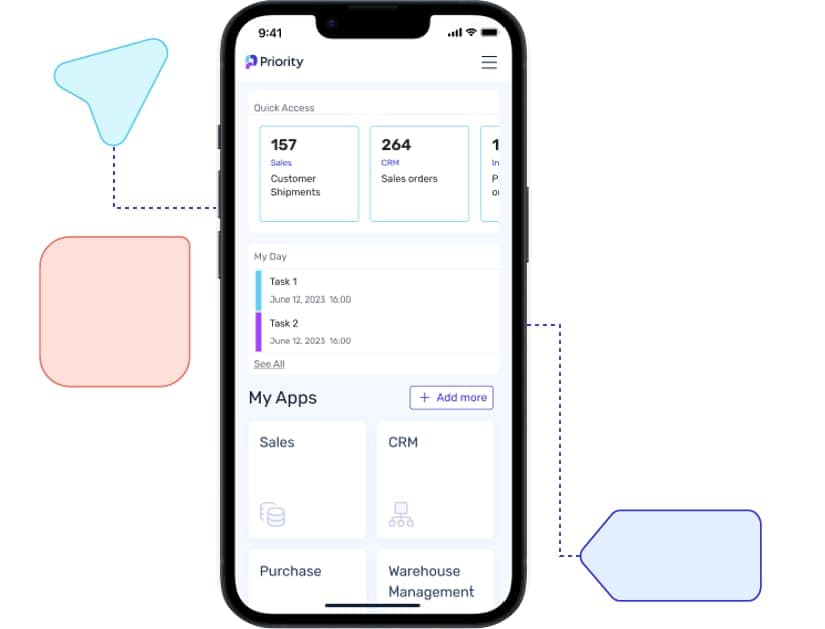
Priority's mobile ERP applications ensure robust system features and functionality are accessible from any mobile device or tablet, offering real-time visibility and access to your business operations for constant connectivity and productivity, anywhere. These applications support both ready-to-use and customizable options, enabling efficient management of tasks such as making calls, sending emails, accessing parts catalogues, viewing customer details, and placing orders directly from your device. Enhanced with productivity-boosting features like barcode scanning, image capture, document signing, and push notifications, our mobile solutions keep you connected and in control, whether you're in the office, traveling for business, or working remotely.
Ready-to-Use Mobile Apps
Access Priority's diverse range of pre-built mobile applications anytime, anywhere, for real-time business insights. Gain a holistic perspective of your operations, boost efficiency of your business processes, with rapid issue resolution directly from mobile devices. Our out-of-the-box mobile apps cater to various roles, including CRM, Sales, Sales Reps, Purchasing, and Inventory Management.
Features
- Credit card clearing
- Documents sharing
- Quick actions – swipe (phone, email, navigate)
- Push notifications
Mobile App Generator
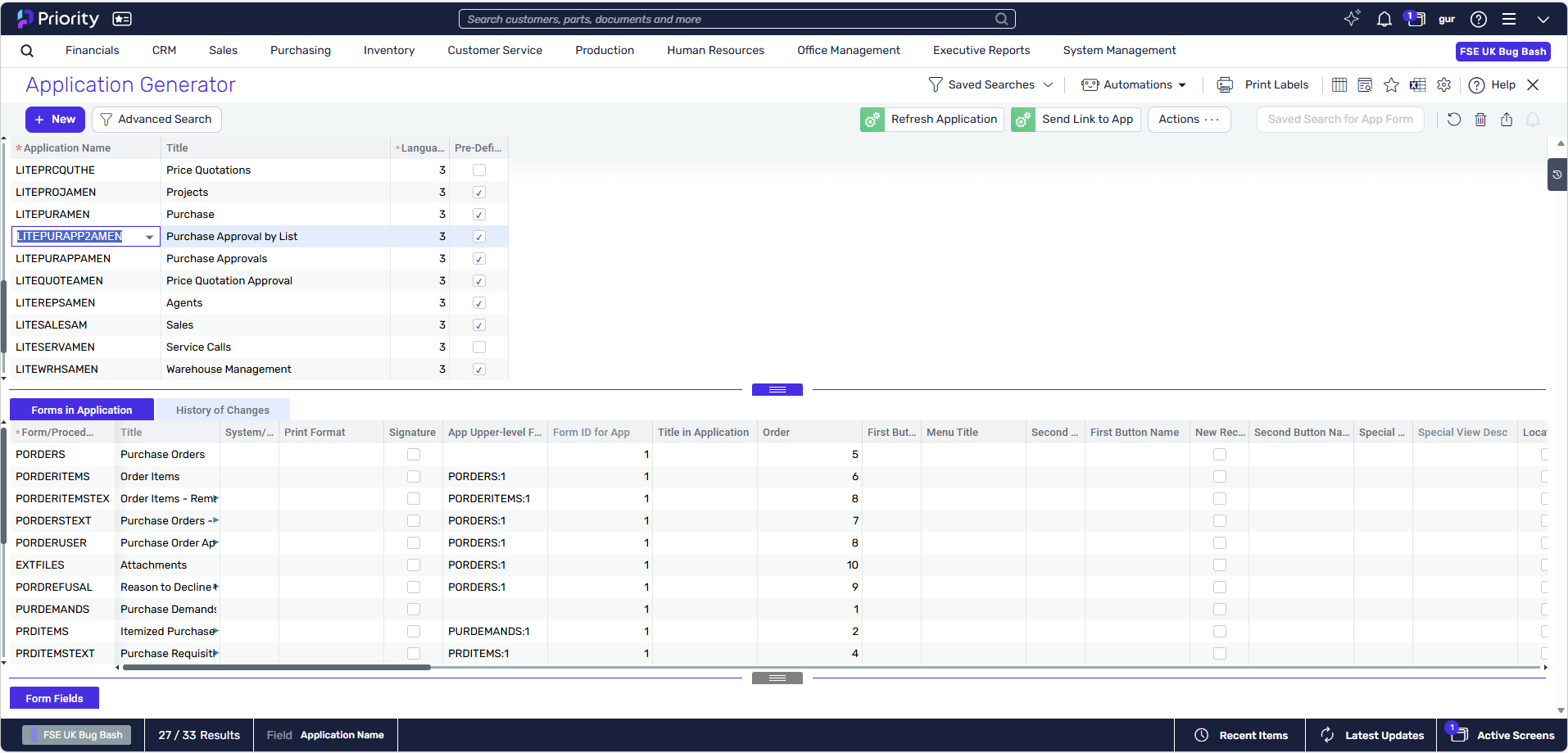
Priority's Mobile Application Generator lets users quickly build custom mobile apps without development costs or skills, integrating ERP tasks seamlessly onto mobile devices. Convert Priority screens and processes into tailored mobile apps, enhancing field workers' experiences with features like catalogue views, offline functionality, scanning, questionnaires, and customer signatures—all created within minutes.
Fast, low-risk ERP implementation
Priority is designed for rapid deployment, helping organizations go live faster than many traditional ERP solutions. Whether you work directly with Priority's implementation team or one of our certified partners, you'll benefit from proven methodologies, industry best practices, and experienced consultants who help minimize disruption throughout the process. Our structured migration approach helps ensure business continuity, protects your data, and reduces the risk of downtime during the transition, helping your teams adopt the system quickly and minimize time to value.
Case studies
ERP


ERP


ERP


FAQs
What industries can benefit from a mobile ERP solution?
A mobile ERP solution can benefit a wide range of industries, particularly those with a mobile workforce or a need for real-time data access. Industries such as field service, construction, logistics, sales, retail, and healthcare can greatly benefit from mobile ERP. The mobile ERP enables employees to access critical business data and applications on-the-go using smartphones or tablets, increasing productivity and efficiency. Field service technicians can access service requests, update work orders, and access equipment information remotely. Construction teams can view project progress, manage schedules, and communicate with stakeholders in real-time. Sales representatives can access customer data, check inventory levels, and process orders while on the move. Mobile ERP empowers businesses with agility and flexibility, enhancing decision-making and responsiveness in industries where mobility is essential for success.
Does Mobile ERP offer offline capabilities for data access in areas with limited connectivity?
Yes, many Mobile ERP solutions offer offline capabilities for data access in areas with limited or no connectivity. These systems allow users to download necessary data and information onto their mobile devices while they are connected to the internet. When they enter an area with limited or no network coverage, they can continue to access and work with the downloaded data offline. Once the device reconnects to the internet, any updates or changes made offline are synchronized with the central ERP system. This offline functionality is particularly beneficial for industries with field-based or remote workers who may encounter connectivity issues while on the move. It ensures uninterrupted access to critical business information, enabling productivity and data entry even in areas with unreliable or no network access.
Which mobile platforms and devices are compatible with Mobile ERP applications?
Mobile ERP applications are designed to be compatible with a variety of mobile platforms and devices. They typically support popular operating systems such as iOS for Apple devices, Android for various smartphones and tablets, and Windows Mobile for Windows-powered devices. Mobile ERP applications are optimized to provide a consistent and user-friendly experience across different platforms and screen sizes, ensuring seamless functionality and data accessibility for users on their preferred devices. This compatibility allows organizations to offer Mobile ERP solutions to a diverse workforce with various devices, enabling employees to access critical business data and perform tasks conveniently and efficiently while on the go.
Can Mobile ERP be used by employees outside the organization, such as sales reps, vendors or customers?
Yes, Mobile ERP can be used by employees outside the organization, such as sales representatives, vendors, or customers. Many Mobile ERP solutions offer features like external user access or portals that allow organizations to extend ERP functionalities to external stakeholders. Sales reps can use Mobile ERP to access customer data, check inventory, and process orders on the go, enhancing customer interactions and responsiveness. Vendors can have access to purchase orders, supply chain information, and invoicing details, streamlining the procurement process. Customers can use Mobile ERP portals to view order status, track shipments, and access self-service features like account information or support inquiries. By providing secure and controlled access to external users, Mobile ERP empowers organizations to collaborate effectively with external stakeholders, enhance service levels, and improve overall business relationships.
Is My Business Ready to Use Mobile ERP?
Determining if your business is ready to use Mobile ERP depends on various factors. Consider whether your employees frequently work remotely or in the field, and if accessing real-time data on the go would improve their productivity. Evaluate if your current ERP system offers a mobile solution that aligns with your business needs, or if investing in a mobile ERP application would enhance efficiency and decision-making. Assess the security measures in place to protect sensitive data when accessed through mobile devices. Additionally, analyze the potential benefits, such as improved customer service, faster response times, and streamlined processes, against the costs and implementation challenges. If your business requires enhanced mobility, real-time data access, and the ability to perform critical tasks remotely, then Mobile ERP might be a valuable addition to your organization.


